Relations and rollups
Link cards across lists, read the link from both sides, and compute a total through it.
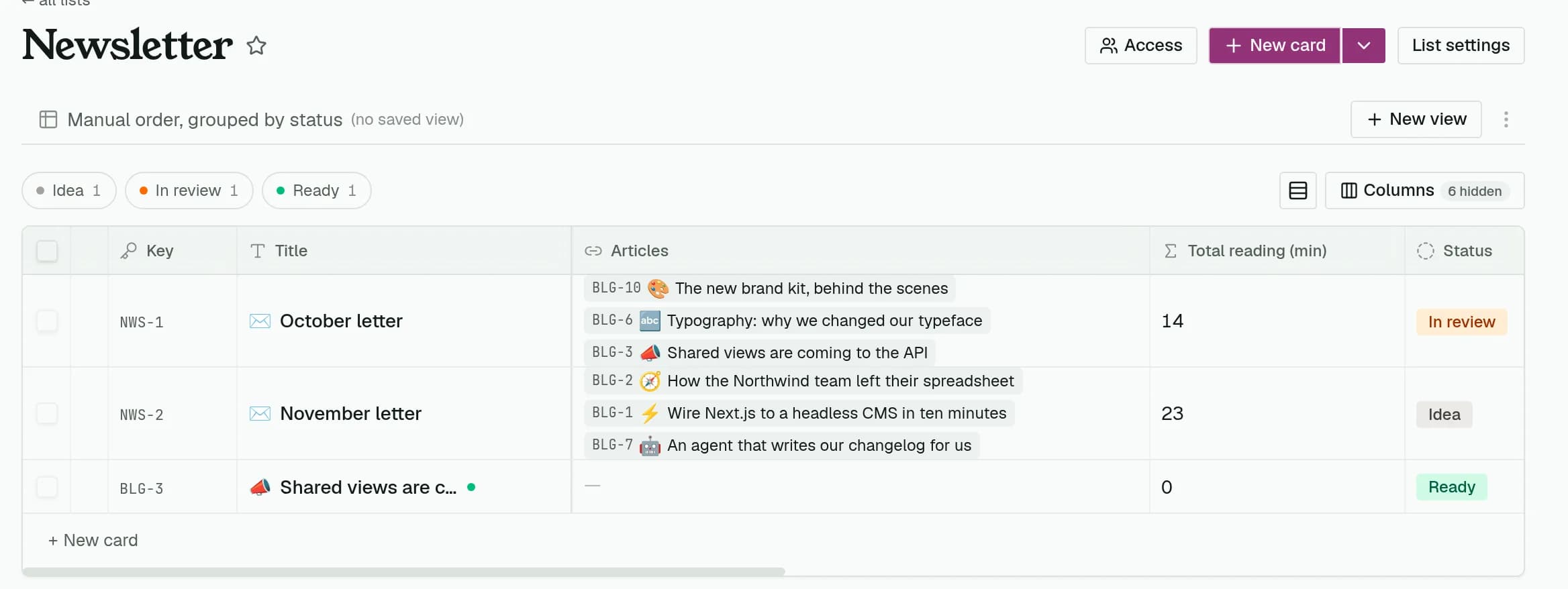
- 1
A relation
A property whose value is a list of cards. Here, each letter names the articles it features.
- 2
A linked card
Key, icon and title. Click the chip to open the card.
- 3
A rollup
A value computed from the linked cards. Here, the sum of their reading times.
A relation links cards to each other, within a list or across two lists. It always comes as a pair: what you link on one side reads on the other.
Read a link from both sides
In the showcase workspace, the Newsletter list has an Articles relation and the Blog list has its inverse, Appeared in. Linking an article to the November letter fills both at once.
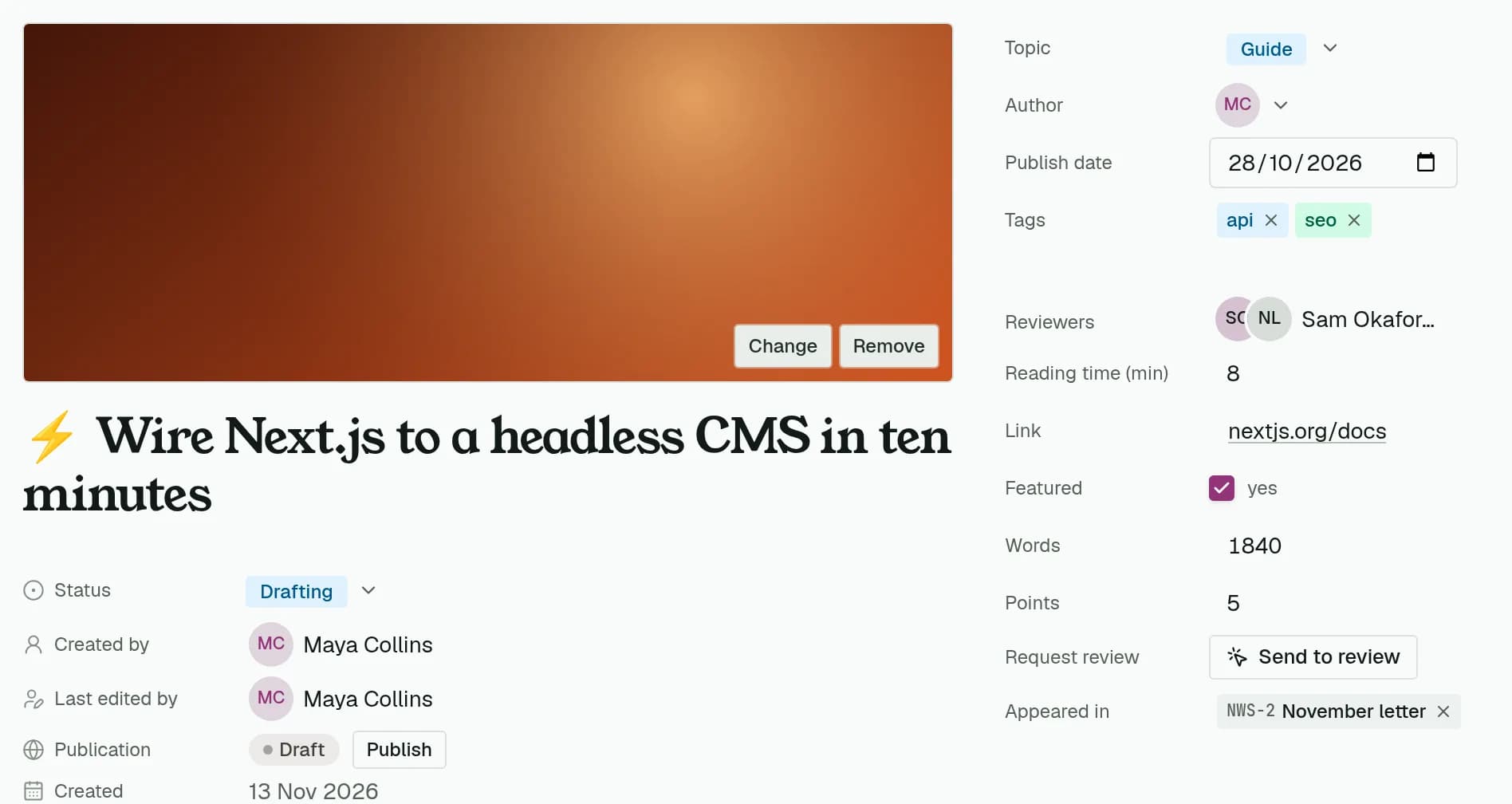
There is one link, not two copies. Remove it from either card and it is gone from both.
Link cards
Open a card that carries the relation
The relation sits with the other properties of the card.
Search for the card to link
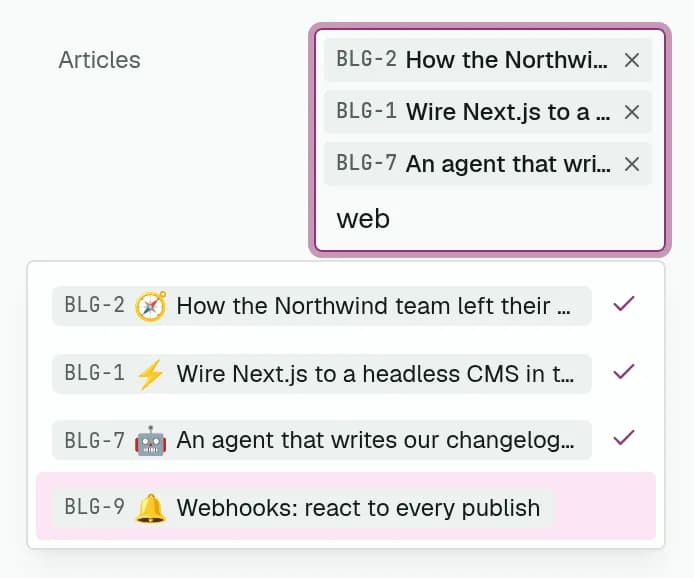
Click the field and type a title or a key in Search an item by title or key…. The results come from the list the relation points to.
Pick it
Click a result to link it. A check mark shows the cards already linked. Click one again, or the cross on its chip, to remove the link.
In a table, the cell shows the same chips. A link to an archived card stays, dimmed and struck through. A link to a deleted card disappears until the card is restored.
Create a relation
A relation is a workspace property. Open Workspace settings, then Properties, and click New property.
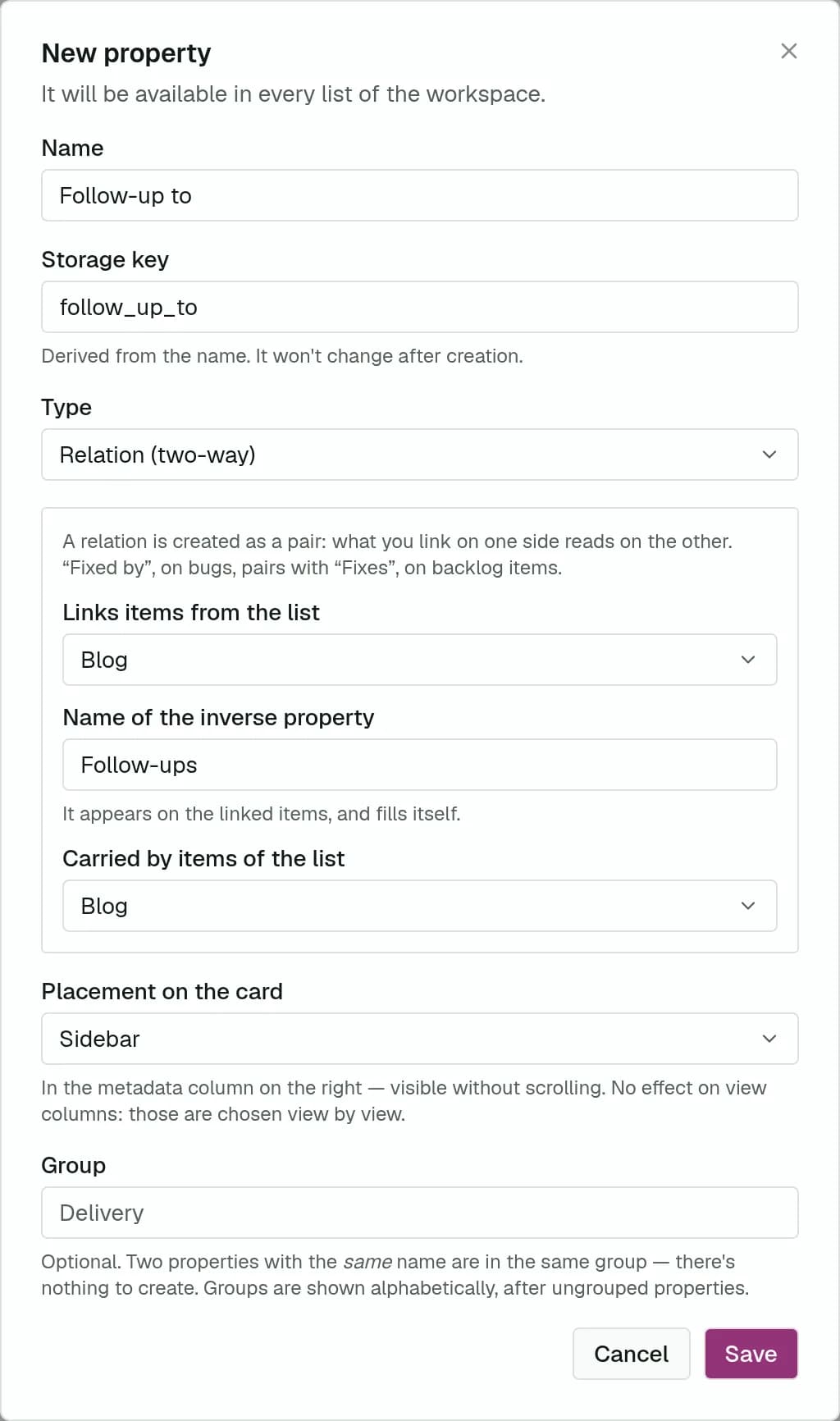
Choose Relation (two-way). Links items from the list says where the linked cards live. Name of the inverse property names the other side, and Carried by items of the list says which list shows it.
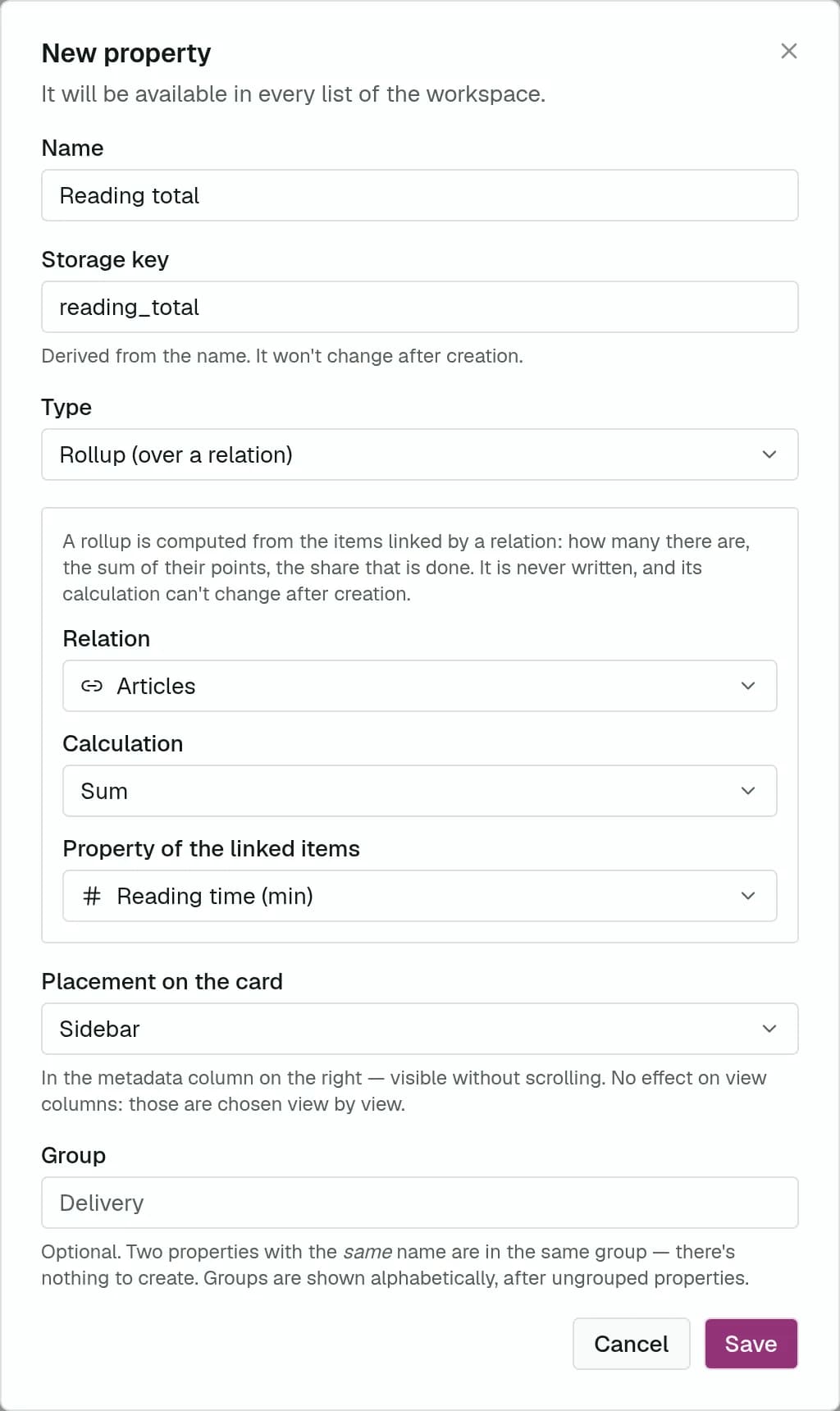
Choose Rollup (over a relation), then a Relation, a Calculation and, for most calculations, a Property of the linked items.
Careful
The pair is fixed at creation. Deleting one side deletes the other, and every link with it.
Compute a total with a rollup
A rollup reads the cards linked by a relation and computes one value: Number of linked items, Sum, Average, Minimum, Maximum, Number of filled values, % checked or Progress (% done).
- You never type it. It updates when a link changes or when a linked card changes.
- Archived and deleted cards do not count.
- With no linked card, a count or a sum shows 0. The other calculations stay empty.
- Its calculation cannot change after creation. To compute something else, create another rollup.
Filter by a relation
In Edit view, under Filters, click Add a filter and pick the relation. Choose contains or does not contain and a card, or is empty or is not empty. See Filter, sort and group.
You cannot sort or group by a relation. You can sort and filter by a rollup, but not group by it.
Relation, subtask or mention?
- A relation is a link you name and can filter on. Both cards keep their own list and their own life.
- A subtask is a place under a parent card. It is duplicated and deleted with its parent. Add one under the body with Add a subtask.
- A mention is a link written in the body of a card. The mentioned card lists it under Backlinks, among its native fields. See Write in the editor.