Trash
Deleted cards and lists wait in the trash for 30 days. Restore them as they were, or erase them for good.
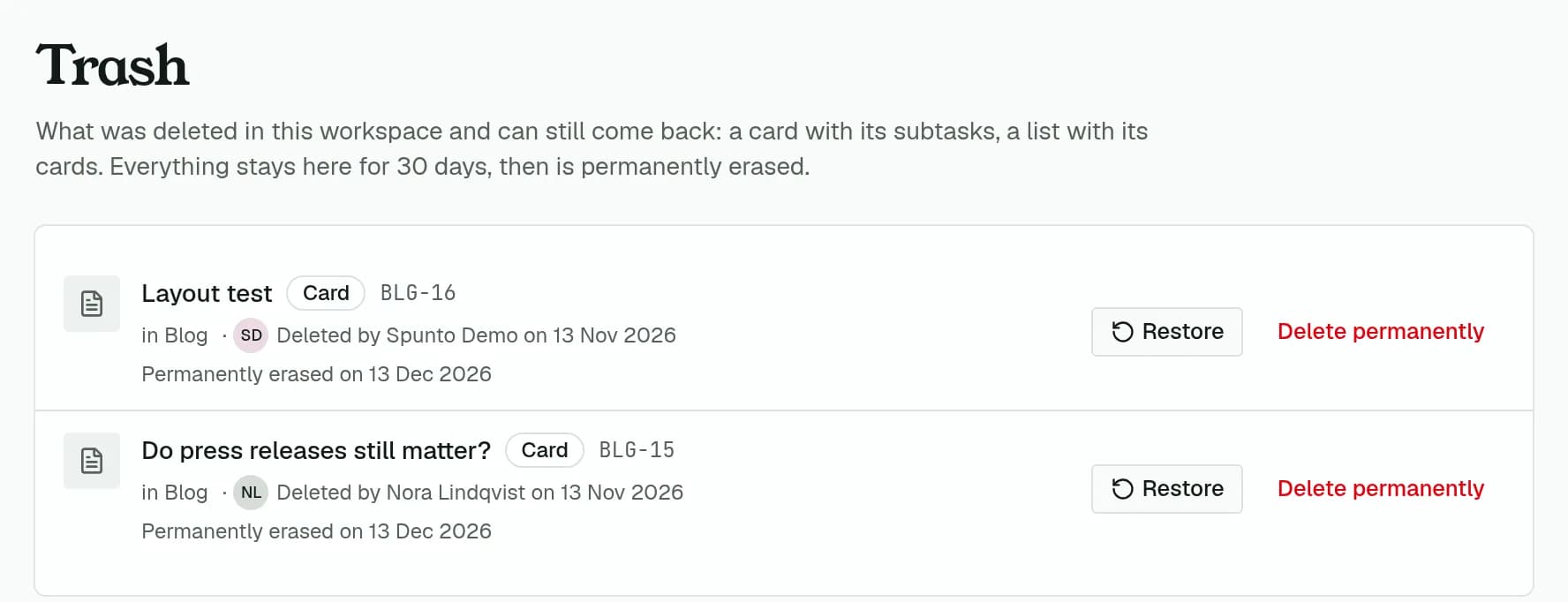
- 1
What was deleted
The title, whether it is a card or a list, its key and the list it comes from.
- 2
Who and when
The person who deleted it, and the date.
- 3
Erase date
The day the entry leaves the trash for good: 30 days after it was deleted.
- 4
Restore
Puts the card or the list back where it was.
- 5
Delete permanently
Erases it now, without waiting for the 30 days. Admins only.
Deleting a card or a list moves it to the trash of the workspace. Open it with Trash, in the sidebar.
Delete a card
Open the card, open the ⋯ menu at the top right, and click Delete. A message confirms Card moved to the trash — subtasks included, with an Undo button for a few seconds.
- The card leaves every view, the search and the counts.
- Its subtasks leave with it.
- Links from other cards to it disappear until it comes back.
- Its key is kept. No other card will ever get the same number.
Delete a list
Open List settings, scroll to Delete list, click Delete this list, then confirm. Only owners and admins see this section.

The list moves to the trash with the cards whose home list it is. Cards that were only attached to it stay in their home list. See Lists.
Restore a card or a list
Open the trash
Click Trash in the sidebar. The most recent deletions come first.
Find the entry
Each entry says what it is, who deleted it, and when it will be erased. A card deleted with subtasks shows how many.
Click Restore
Everything that left together comes back together: the card with its subtasks, the list with its cards.
A restored card comes back as it was: same key, same properties, same body, with its comments, its history and its links to other cards. Any member who can edit can restore a card. Restoring a list takes an admin.
Good to know
A subtask you deleted on its own, before its parent, has its own entry. Restoring the parent does not bring it back: restore it separately, after the parent.
Delete permanently
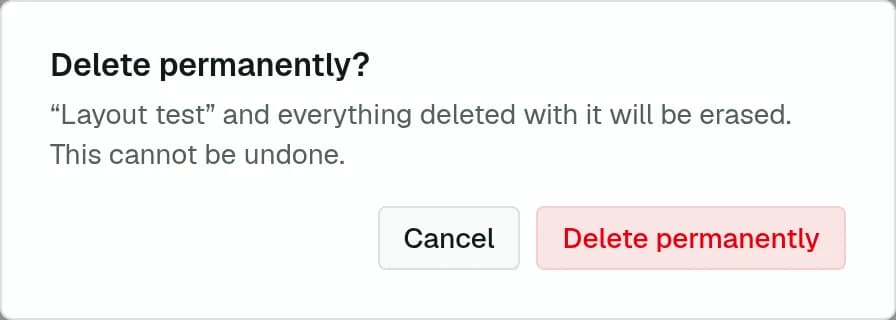
Admins can erase an entry without waiting. Click Delete permanently, then confirm.
Careful
This cannot be undone. The card, its subtasks, its comments and its history are erased.
What happens after 30 days
An entry stays 30 days in the trash, then is erased for good. The date is written on each entry, under Permanently erased on. The delay is the same for every workspace and cannot be changed.
Archive or delete?
Archive, in the same ⋯ menu, also takes a card out of views and search. The difference is what happens next.
- An archived card never expires. It still opens from its link, and cards linked to it keep the link, dimmed.
- A deleted card can be restored for 30 days, then it is gone.
Careful
Nothing in the app brings an archived card back today. To set a card aside and be able to recover it, delete it: the trash restores it.