Inbox and mentions
Read what is waiting for you in a workspace, mark it as read, and mention a teammate with @ so that they are notified.
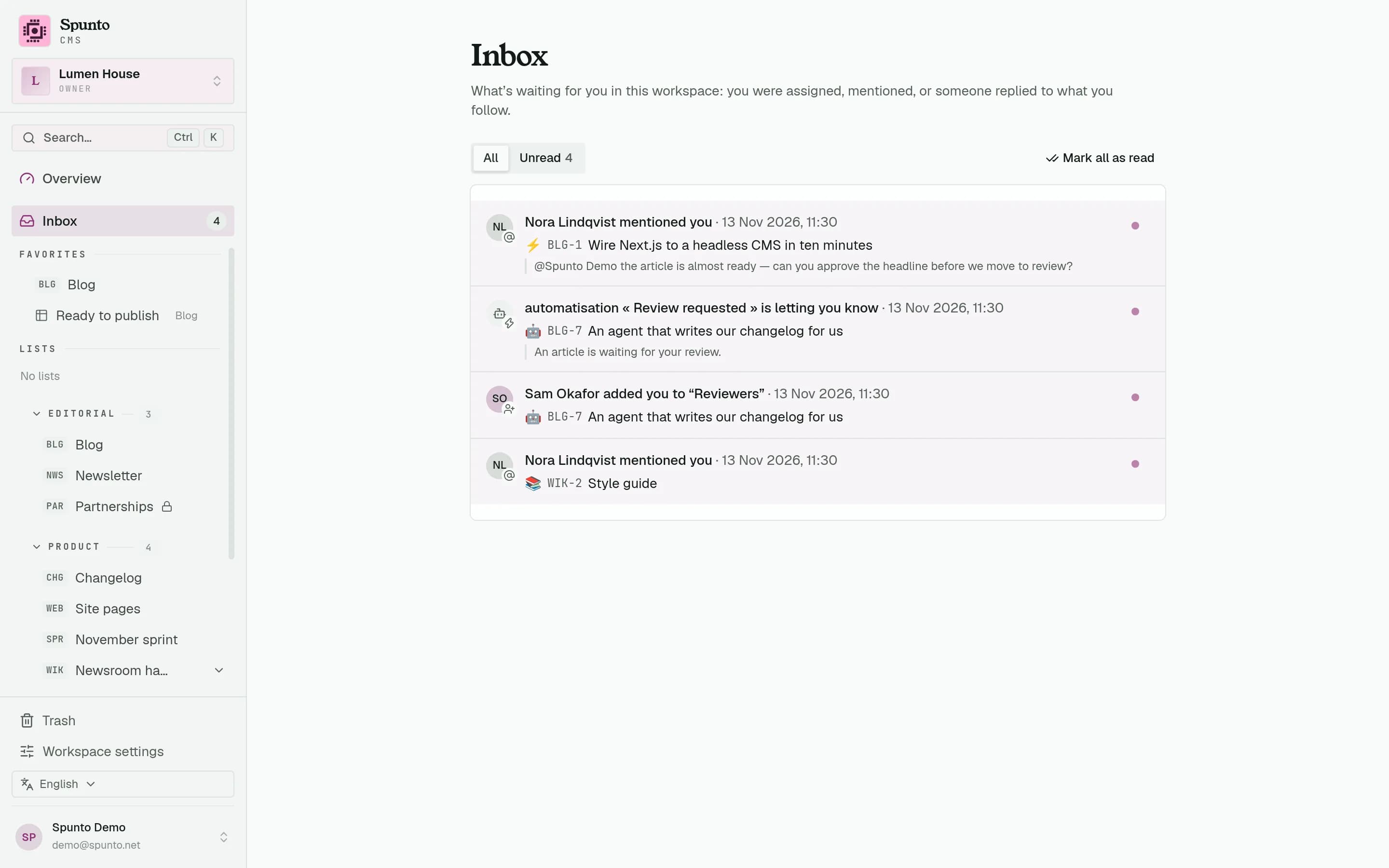
- 1
Inbox
The number of unread notifications in this workspace. Past 99 it reads 99+. - 2
All or Unread
Unread only keeps what you haven't read yet. - 3
A notification
Who, what, when, and the card it is about. Click it to open the card. - 4
Mark as read
The dot marks one notification as read, or as unread again. - 5
Mark all as read
Empties the counter in one click.
The inbox gathers what concerns you in one workspace. To open it, click Inbox in the sidebar.
Know what notifies you
You get a notification when someone:
- adds you to a person property of a card — an assignee, a reviewer;
- mentions you with
@in a card's body or in a comment; - replies in a discussion you wrote in;
- comments on a card you created, or on a card you are in a person property of;
- lets you know through an automation or a button that carries a notify action.
You are never notified of what you do yourself. And one event gives one notification: if a comment both mentions you and replies to you, you get the mention.
Good to know
A notification made by an automation, an app or an API key shows a robot instead of a face.
Read your notifications
Open the inbox
The newest notification comes first. Unread ones carry a filled dot.
Click a notification
The card opens, and every notification about that card is marked as read.
Sort out the rest
Click the dot of a row to Mark as read without opening the card, or to Mark as unread something you want to come back to. Mark all as read clears everything at once.
The counter in the sidebar refreshes every minute, and when you come back to the tab.
Mention someone in a comment
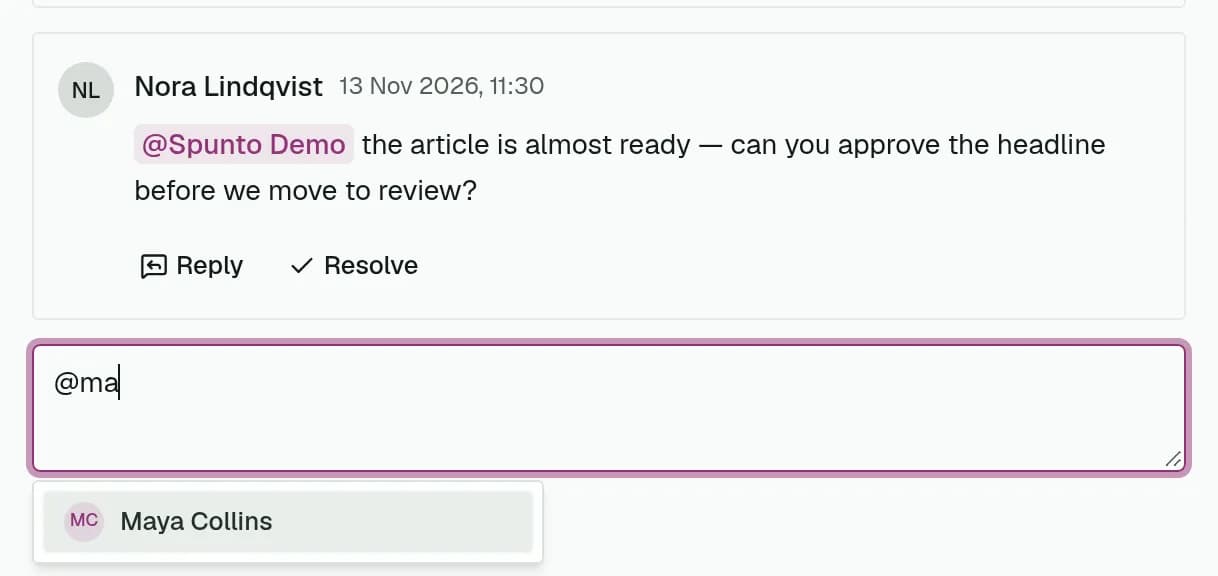
Type @ and the first letters of a name
In the comment field, a list of members opens under your text.
Pick the person
Move with the arrow keys and press Enter or Tab, or click the name. Esc closes the list.
Send the comment
Click Comment. While you write, the mention shows in its raw form, between square brackets; once sent, it reads as the person's name.
Mention someone in a card's body
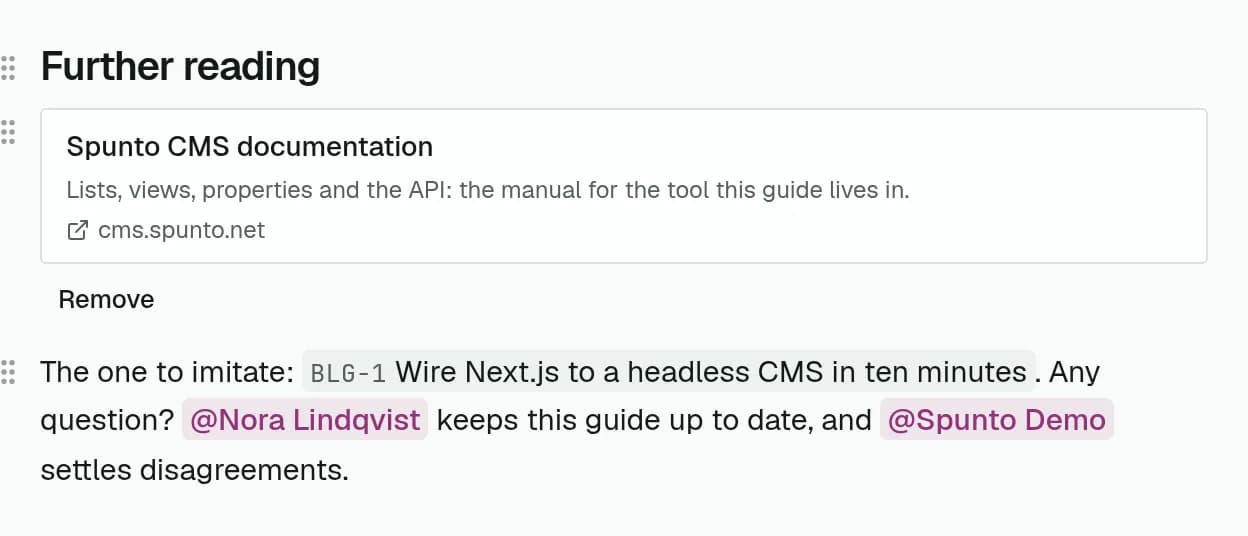
In the body of a card or a page, type @ and the first letters of a name. Members come first in the menu, before cards; pick the person with Enter. The person is notified as soon as the card saves itself.
Tip
To link a card without notifying anyone, type [[ instead: that menu only proposes cards.
FAQ
Keep going
Restricted lists and guests
Keep a list to a few people, name who can edit it or only read it, and invite a guest who sees nothing else in the workspace.
Automations and buttons
Make a list react by itself when a card changes — set a status, assign someone, notify people — and add buttons that run the same actions in one click.